

One system for every site in your group
Studios, body shops and workshops in one group, each with its own way of working. Symphony gives every site the instruments it needs, and leadership one screen for all of them.
How a group runs on it
One standard
Every site works on the same records: clients, cars, jobs, parts and invoices.
Each site its own setup
A detailing studio runs on the client app and the board; a body shop adds insurer approvals. Each location uses the instruments it needs.
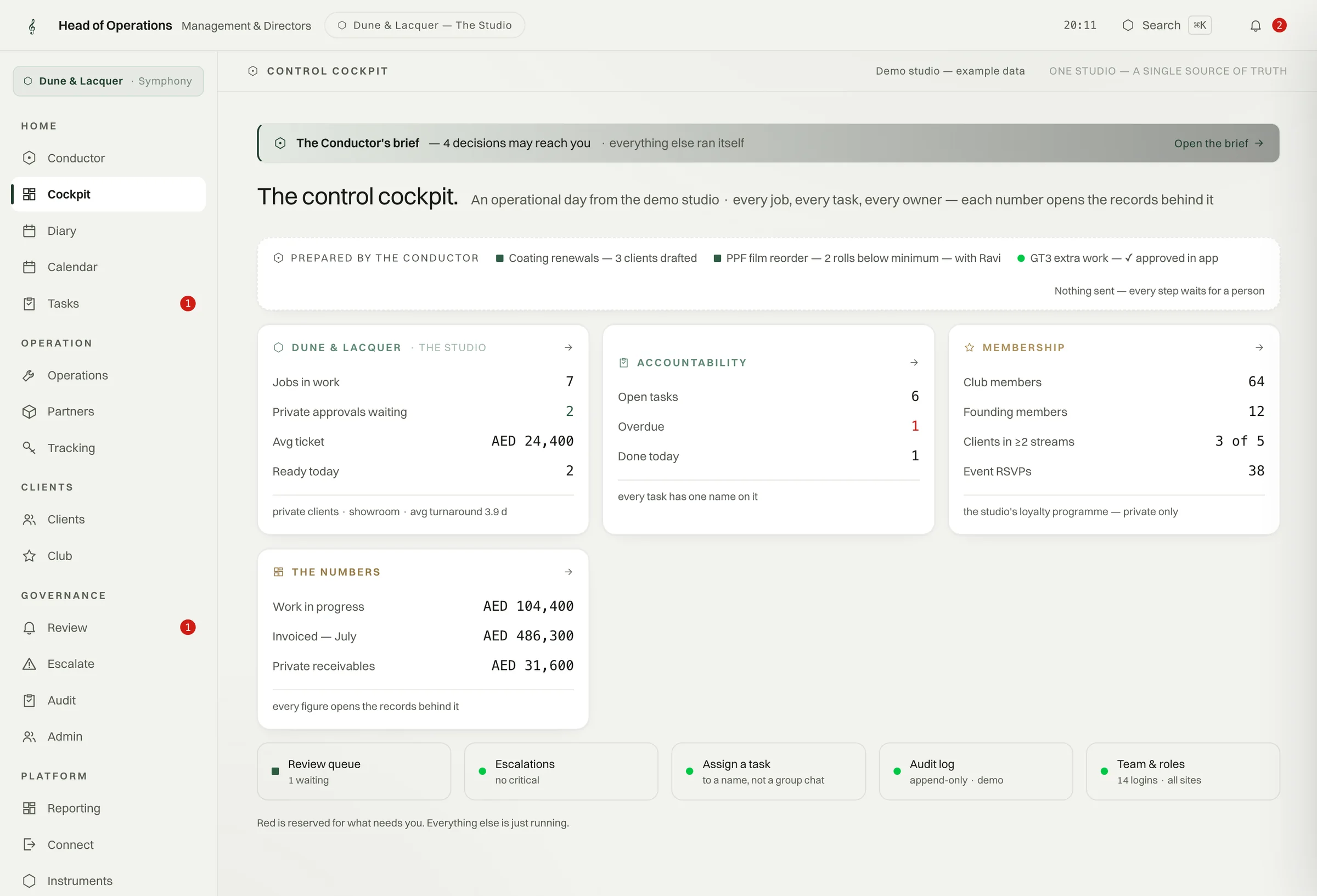
One screen for leadership
Jobs, capacity and open money for every site. Every number opens the jobs behind it.
A new site
A new location goes live on the same setup, with its own roles from day one.
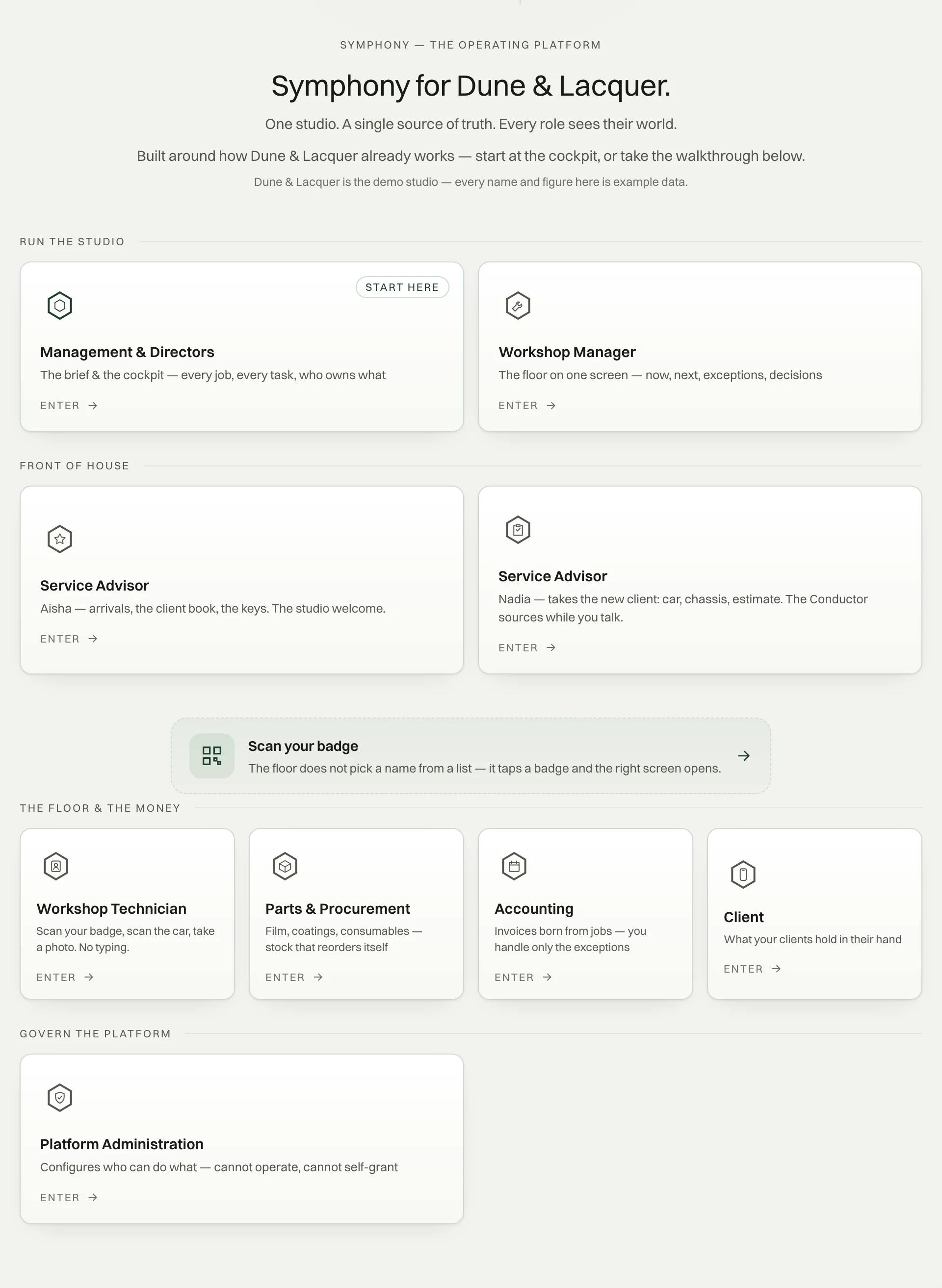
Nine roles, each with its own view
Each person sees what their job needs, nothing more.
- Own views for advisor, workshop, technician, parts, accounting, management and client.
- Admins manage access but cannot work on jobs or give themselves extra rights.
- Every action is logged with a name and a time. Nothing is deleted.
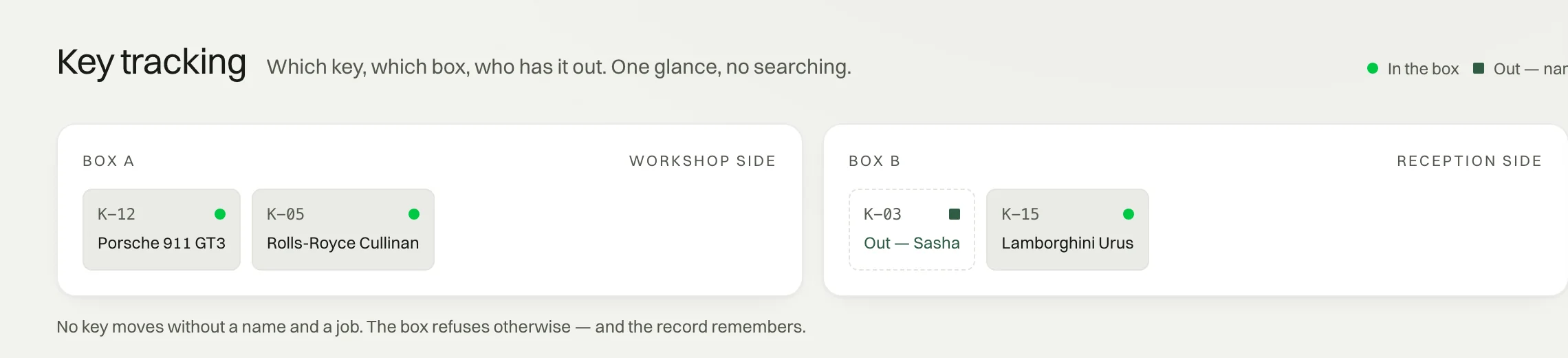
Cars and keys, wherever they are
Car, key and job folder carry a QR label linked to the job.
- Who has it and where it is: always visible.
- No key leaves without a name and a job.
- Technicians open a job by scanning its folder.
The morning brief
Overnight, the Conductor prepares quotes, follow-ups and a brief that shows only what needs a decision. A person approves everything before it goes out.
Questions we hear
Can different kinds of business run in one group?
Yes. A studio, a body shop and a workshop each use the instruments they need, on the same records underneath.
Who sees what?
Nine roles, each with its own view. Search only shows what the role may see.
Can we compare sites?
Yes. Leadership sees jobs, capacity and open money for every site on one screen, and every number opens the jobs behind it.
What happens to our data if we stop?
Your data is yours: you can export it at any time. The source code is held in escrow from go-live and released to you in agreed cases.
How is a new site added?
It goes live on the same setup as the others, with its own roles. What it adds is agreed and priced before it starts.
Related
- Reporting & Analyticsthe whole business on one screen
- Administration & Accessnine roles, each with its own view
- Trackingcar, key and job folder
- Symphony Conductorthe morning brief, prepared overnight
See your group on one screen.
Thirty minutes on the live system, with your leadership team.

Philipp SandorWrite to me directly.philipp@